




What is a Dedicated IP?
A dedicated IP is an IP address assigned only to you. Unlike shared VPN IPs, your activity isn’t affected by other users. With shared IPs, multiple users appear to browse from a single location. If some of that activity gets flagged, the IP is more likely to trigger CAPTCHAs, verification checks, or temporary restrictions. A dedicated IP avoids this by giving you a more consistent identity online.
Get Dedicated IP
Why People Switch to a
Dedicated IP
Here’s why many users choose a dedicated IP.
Reduce
CAPTCHA Prompts
Shared IPs are more likely to trigger CAPTCHA checks due to mixed activity. A dedicated IP keeps your browsing separate, so you’re not solving them every time you connect.

Avoid
Blocks And Restrictions
Shared VPN IPs can get flagged due to other users, limiting access or blocking websites. A dedicated IP reduces that risk by keeping your activity separate.
Simplify Remote
Access And Whitelisting
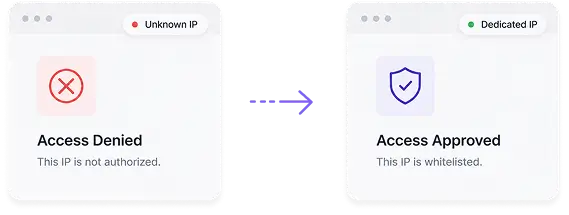
Many business systems and private servers only allow approved IP addresses. A dedicated IP gives you a fixed address that can be whitelisted, making remote access more reliable.
Prevent
IP Reputation Issues
With shared IPs, your experience depends on how others use the same address. A dedicated IP is only used by you, meaning your connection isn’t affected by someone else’s behavior.
Access
Sensitive Services Reliably
Some services react to frequent IP changes by adding extra checks or limiting access. A dedicated IP keeps your connection stable, reducing those interruptions.

Dedicated IP Vs Shared IP
Take a look at the table to learn how a dedicated IP compares with a shared IP:
Dedicated IP
How to Get a
Dedicated IP in Minutes
With PureVPN, you can set up and use a dedicated IP in no time. Just follow these simple steps to get started:
Sign Up for
PureVPN
Get a PureVPN plan with the Dedicated IP add-on.

Select Your Preferred
Location
Pick the country for your dedicated IP address.
Download and
Connect
Open the app and start using your dedicated IP.
Who Uses Dedicated IPs?
These are some of the most common users, but a dedicated IP isn’t limited to them:

Remote Workers
Connect to corporate tools and private servers from different locations without running into IP-based access issues.
Online Banking
Users
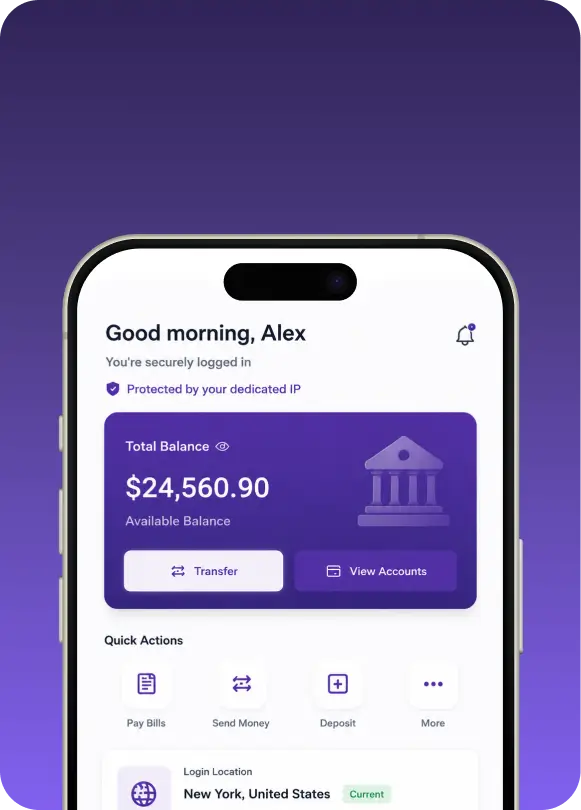
Use the same login location across banking and financial services, especially when connecting from abroad.

Developers and
IT Teams
Manage servers, admin panels, and internal systems that require IP whitelisting for quick, secure access.
Server Hosts
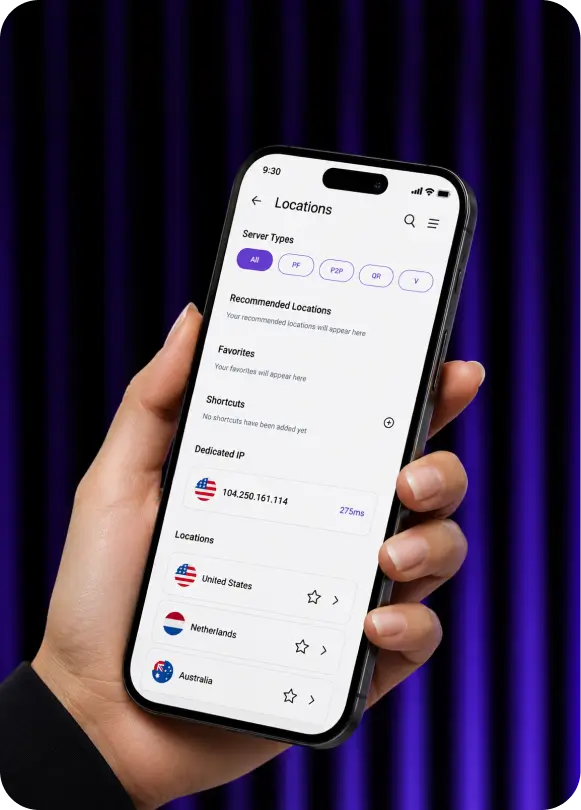
Run game servers or private applications that require a fixed IP address for stable access and connectivity.

Digital Marketers
Work with ad platforms, analytics tools, and SEO tools that rely on consistent IP access to avoid any interruptions.
Reasons to Choose
PureVPN for Your Dedicated IP
Want to get a dedicated IP? PureVPN is worth considering:
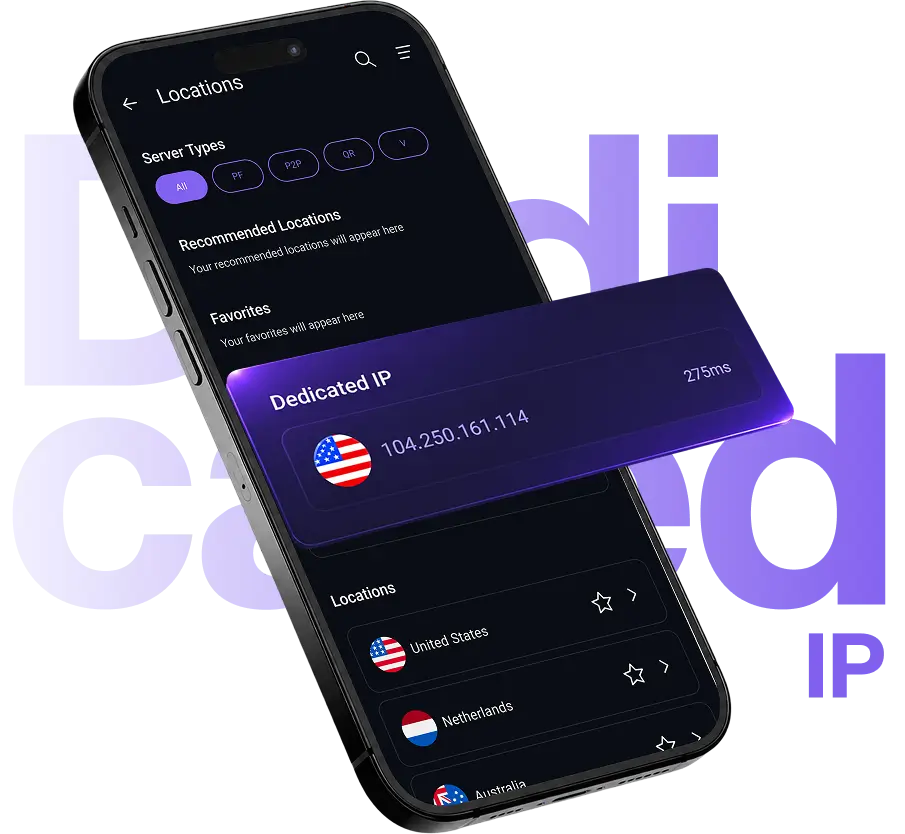
You don't have to deal with account changes, manual configuration, or extra steps after purchase. The dedicated IP is added to your account and shows up in the app ready to use.
Works across OpenVPN, WireGuard, and IKEv2, so you can use your Dedicated IP with the protocol that fits your setup.
Switch Between IPs Easily move between shared and dedicated IPs whenever you need to, without changing your overall setup.
PureVPN follows a strict no-logs policy for enhanced privacy and security.
PureVPN Dedicated IP Locations
PureVPN offers dedicated IP addresses across key locations in North America, Europe, and Asia-Pacific. You can choose your preferred location when adding the Dedicated IP add-on to your account.
Servers



Get added security and privacy
- 2-year plan
- 1-year plan
- Monthly plan
 Save extra 75% off on 2-year planSave extra 75% off on 2-year plan
Online security for businesses | Teams Plan70% off $7.21/month/IP IPs You can only add up to 1000 members. Compare Plans | ||
What's Included: | |||
 | | | |
 | | | |
1 | 5 | 1 per user | |
Working individuals | Individuals & Entrepreneurs | Businesses & Companies | |
| What you’ll get | Dedicated IP | Dedicated Server | Teams Plan |
|---|---|---|---|
| Overcome IP restrictions | | | |
| Control panel to manage IPs | | | |
| Centralised billing | | | |
| No. of IPs per device | 1 | 5 | 1 per user |
| Suitable for | Working individuals | Individuals & Entrepreneurs | Businesses & Companies |
Online security for businesses | Teams Plan61% off $9.44/month/IP IPs You can only add up to 1000 members. Compare Plans | ||
What's Included: | |||
| | | |
| | | |
| | | |
1 | 5 | 1 per user | |
Working individuals | Individuals & Entrepreneurs | Businesses & Companies | |
| What you’ll get | Dedicated IP | Dedicated Server | Teams Plan |
|---|---|---|---|
| Overcome IP restrictions | | | |
| Control panel to manage IPs | | | |
| Centralised billing | | | |
| No. of IPs per device | 1 | 5 | 1 per user |
| Suitable for | Working individuals | Individuals & Entrepreneurs | Businesses & Companies |
Online security for businesses | Teams Plan42% off $13.94/month/IP IPs You can only add up to 1000 members. Compare Plans | ||
What's Included: | |||
| | | |
| | | |
| | | |
1 | 5 | 1 per user | |
Working individuals | Individuals & Entrepreneurs | Businesses & Companies | |
| What you’ll get | Dedicated IP | Dedicated Server | Teams Plan |
|---|---|---|---|
| Overcome IP restrictions | | | |
| Control panel to manage IPs | | | |
| Centralised billing | | | |
| No. of IPs per device | 1 | 5 | 1 per user |
| Suitable for | Working individuals | Individuals & Entrepreneurs | Businesses & Companies |
Trusted by:



Powerpack your vpn with our top notch addons
Enjoy up to 56% off on selected addon's
Dedicated IP + Port Forwarding
Accessing preferred devices with unique IP address
Suitable add-ons for teams security
Which Dedicated IP Location is Right for You?
The right location depends on your use case. Here's the best fit for different scenarios:

For remote work and secure access
Choose the country where your company systems are hosted. Keeps access consistent and avoids IP-related login issues.

For online banking and financial services
Choose your home country. Matching locations is important as it reduces verification checks and keeps logins smooth.


For general browsing
Go with the closest available location. Nearby servers usually mean better speed and a smoother experience.

For managing servers or hosting tools
Select a location close to your infrastructure. Maintains stable access when working with admin panels or systems.

For marketing and account management tools
Pick the country where your accounts are registered. A consistent location lowers the risk of security flags or interruptions.
Frequently Asked Questions
Find answers to common questions about PureVPN’s Password Manager here.
Is there a free VPN with dedicated IP?


No. Dedicated IPs are only available with paid VPN plans because they are assigned to a single user. Free VPNs only use shared IPs, which are used by multiple users at the same time.
Can I select the country for my dedicated IP?
Yes. When adding a dedicated IP to your plan, you can choose from available locations such as the US, UK, Singapore, Germany, and others.
How much does a dedicated IP cost?
Pricing depends on the subscription length. It starts at $15.95 per month, with lower rates on longer plans like 1-year ($7.73 per month) and 2-year ($4.45 per month) options.
Is a dedicated IP faster?
A dedicated IP is not faster. It doesn’t increase raw speed, but it can feel more stable because it avoids shared IP congestion and repeated verification checks.
Can I change my dedicated IP location later?
No. A dedicated IP is fixed once assigned. If you need a different location, you can add a new dedicated IP from the available options or switch at renewal.