How to Get a Dedicated IP in the Netherlands
Set up your own personal dedicated IP in the Netherlands within minutes.





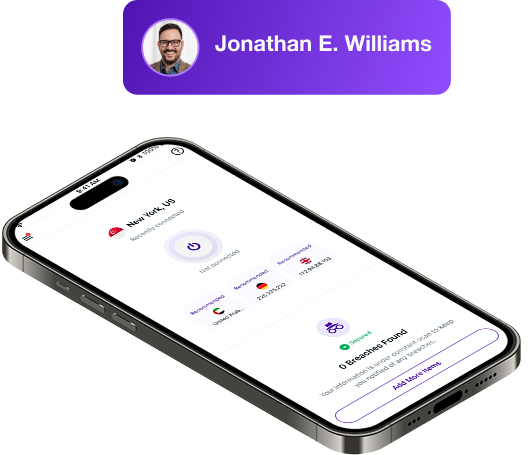
What is a Dedicated IP in VPN?
A dedicated IP is a VPN address reserved just for you. Unlike shared IPs that hundreds of users connect through, a dedicated IP stays the same every time you connect. You keep full VPN encryption while gaining a fixed online identity, making it perfect for secure remote access and smoother logins.
Our Dedicated IP Locations
When you add a dedicated IP to your PureVPN plan, you choose the country where it will be assigned. That choice stays locked for your entire subscription. Available locations include the US, UK, Australia, Canada, Germany, New Zealand, Hong Kong, Malta, Singapore, and the Netherlands.

Why Choose PureVPN’s Dedicated IP?
Here’s why PureVPN is the go-to choice for dedicated IP users:
Simple Setup Process
Set up your dedicated IP address with ease. Sign up, choose your preferred region, complete the purchase, and your dedicated IP will be activated for the length of your subscription. It works on a single device at a time.
Strong Privacy Protections
PureVPN keeps no records of what you do online. Independent audits verify our no-logs claim, and being based in the British Virgin Islands means we’re outside data retention laws, so your activity stays private at all times.
World-Class Features
A dedicated IP comes with the same PureVPN features you expect. Control app traffic with Split Tunneling, stay protected with the Kill Switch, and prevent any leaks through DNS and WebRTC safeguards.
Best-In-Class Security
Your traffic is protected with AES 256-bit encryption, the same standard PureVPN uses across its network. Whether you’re working remotely or accessing sensitive accounts, your connection stays private and secure.

Why Do You Need a Dedicated IP in the Netherlands?
Here’s why getting a dedicated IP in the Netherlands is a smart move:
Bypass CAPTCHAs Easily
Shared IPs often trigger endless CAPTCHA prompts or even temporary blocks. With a dedicated IP, you show up as a consistent user, making logins and browsing smoother across Dutch and EU sites.
Avoid Login Interruptions
Banks, e-commerce platforms, and government services often treat changing IPs as suspicious. With a dedicated IP, your logins come from one consistent address, so you’ll face fewer verification hurdles.
Host Private Servers
Private servers for games, dev work, or personal projects run best on a fixed IP. With one stable address linked only to you, friends and collaborators can connect reliably without dropouts or conflicts.
Stay Off IP Blocklists
Shared IPs sometimes inherit problems from other users, which may lead to flagging. A dedicated IP keeps you separate from those issues, meaning your access remains clean and consistent.
Enable Secure Remote Access
Remote connections often fail when using shared IPs. A dedicated IP gives you one stable point of entry, so you can safely connect to your home, office, or server network, no matter where you’re located.
Whitelist IP for Work Systems
Many business tools and cloud platforms require whitelisted IPs. With a dedicated IP, IT teams can approve your address, giving you quick and trusted access to dashboards, servers, and company apps.


3 Simple Steps to Get a Dedicated IP in Netherlands
Just follow these steps to get your dedicated IP:
Step 1
Sign up for PureVPN and add Dedicated IP to your plan.
Pick from Monthly, 1-Year, 2-Year, and 5-Year plans.
Step 2
Choose the location for your new Dedicated IP address.
Get static IPs from 10 different countries worldwide.
Step 3
Finish the payment, download our app, and connect!
Browse with a personal IP address reserved only for you.
A static IP address for your use only.

Frequently Asked Questions
Can I use a dedicated IP and a shared IP at the same time?


You can’t run both at once, but the PureVPN app lets you switch between a dedicated IP and a shared IP whenever you need, whether you’re in the Netherlands or elsewhere.
How do I get a dedicated IP in Netherlands?
Sign up for PureVPN, choose the dedicated IP add-on at checkout, pick your location, and finish your payment. Your dedicated IP will be active in just a few minutes.
Will a dedicated IP increase my internet speed?
No, it doesn’t make your internet faster in the Netherlands, but it can help avoid congestion that happens on busy shared servers. You’ll also see fewer CAPTCHAs and IP-based login blocks.
Can I buy multiple dedicated IPs in Netherlands?
Yes, just reach out to PureVPN’s support team to request additional dedicated IPs. If you’re managing a team or business, PureVPN for Teams provides centralized access and easy administration.