


Step 1
Sign up for a PureVPN account.

A VPN for Mac encrypts your internet traffic and replaces your real IP address with one from a VPN server. It helps keep your online activity more private, protects your connection on public WiFi, and lets you switch your virtual location by connecting through servers in different countries.
By installing a VPN for MacBook Pro, you can:

Public WiFi at cafés, airports, and hotels is not always trustworthy. PureVPN encrypts your internet traffic with AES 256-bit encryption and has a kill switch that helps prevent your traffic from being exposed if the VPN connection unexpectedly drops.

Some streaming platforms and apps are unavailable in certain countries, while others show different libraries depending on your location. PureVPN lets you connect through servers in other countries and access the content available there.

Websites and online services can use your public IP address to identify your approximate location. PureVPN replaces it with the IP address of the VPN server you connect to, so your real IP address is not exposed to the sites and services you visit.
Getting started with PureVPN on your Mac is as easy as 1, 2, 3:
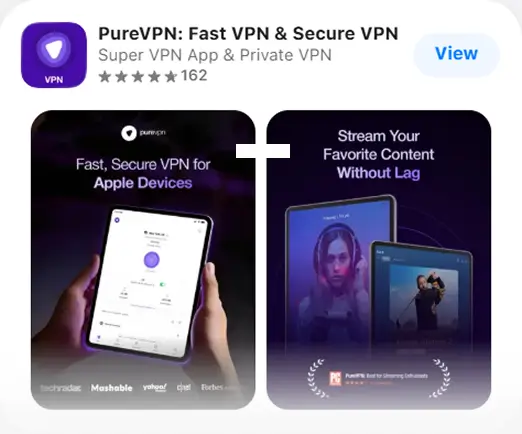


Disguise your VPN traffic so it looks more like regular internet traffic. It is useful when networks detect, limit, or block VPNs and you need a less obvious connection.

Block internet access if the VPN connection drops unexpectedly. Your real IP address and traffic stay protected until the secure connection is restored.

Stop intrusive ads and common trackers from following you across the web. Browsing feels cleaner, with fewer interruptions and less unwanted tracking.

Keep DNS requests and IPv6 traffic from leaking outside the VPN tunnel, so your actual IP address stays better protected from accidental exposure.

Connect through high-capacity 20 Gbps servers built to handle streaming, gaming, downloads, and everyday browsing without avoidable slowdowns.
Take a look at what makes PureVPN worth choosing:
PureVPN is based in the British Virgin Islands, a jurisdiction with privacy-friendly data laws and no mandatory data-retention.
Independent audits have verified PureVPN’s no-log policy, meaning no connection or activity logs are kept or shared.
Go beyond VPN protection with tools for password security, dark web monitoring, and removing personal data from broker sites.
Over five million users trust PureVPN for secure connections, greater online privacy, and access to content from different regions.
Take PureVPN beyond your Mac and stay protected across your everyday devices.
PureVPN brings core VPN protection and extra privacy and security tools to Mac. Take a look at the table to see how it compares with other leading providers.
| Feature |

|
NordVPN | Surfshark | Proton VPN | ExpressVPN | |||||||||
|---|---|---|---|---|---|---|---|---|---|---|---|---|---|---|
| Ad and Tracker Blocking |
|

|
|
|
|
|||||||||
| Password Manager |
|

|
|
|
||||||||||
| Quantum-Resistant Encryption |
|
|
|
|
||||||||||
| Data Removal |
|
|
|
US only | ||||||||||
| Dark Web Monitoring |
|
|
|
US only | ||||||||||
| Audited No-Log Policy |
|
|
|
|
||||||||||
| Always-On Audit |
|
|
|
|
||||||||||
| Simultaneous Connections | 10 | Unlimited | 10 | Up to 14 | ||||||||||
| 31-Day Money-Back Guarantee |
|
|
|
|
See how PureVPN works across newer and older Mac devices.


Downloading the PureVPN app is the easiest way to get started on Mac. If your Mac runs an older macOS version that does not support the app, you can configure PureVPN manually using a supported VPN protocol. Step-by-step instructions are available in the PureVPN Support Center.

PureVPN supports macOS 10.12 Sierra through macOS Tahoe 26. You can use the app on supported MacBook, MacBook Air, MacBook Pro, iMac, iMac Pro, Mac mini, and Mac Pro devices.
Free VPNs for Mac are easy to find, and many seem fine for a quick test. The limits usually show up once you use them regularly. You may get fewer server locations, slower speeds, data caps, ads, or a reduced feature set designed to push you toward a paid plan.
PureVPN gives you the full Mac experience from the start, including servers across 65+ countries, AES 256-bit encryption, a kill switch, obfuscation, and other privacy features. Plans also come with a 31-day money-back guarantee, so you can try PureVPN without settling for a cut-down free service.


Yes, you can install a VPN directly on a Mac and connect through its macOS app. PureVPN lets you download the app, sign in, and connect to a VPN server, while macOS also supports manual VPN configuration.
PureVPN is the best VPN for Mac if you want a native macOS app with AES 256-bit encryption, WireGuard support, a kill switch, and an independently audited no-log policy. It also supports a wide range of Mac devices and macOS versions.
Yes, free VPNs for Mac are available, but free plans often limit server locations, speeds, data, or features. PureVPN is a paid service, with plans backed by a 31-day money-back guarantee if you want to try the full service first.
macOS has built-in settings for configuring and connecting to a VPN, but it does not include its own VPN service. You still need VPN configuration details from a VPN provider, workplace, or other network administrator.
A VPN is worth using on a Mac if you want to keep your internet traffic encrypted, hide your public IP address, or use public WiFi more securely. macOS has built-in security features, but they do not provide the same network-level privacy as a VPN.
The fastest VPN for Mac can vary by location and connection, but PureVPN is a strong option with WireGuard support and 20 Gbps servers for high-speed streaming, downloads, and everyday browsing.
PureVPN offers a 7-day trial for $0.99, giving you access to the service before committing to a longer plan. Plus, subscriptions come with a 31-day money-back guarantee if you want more time to decide.


