


What is Whitepages
Whitepages is one of America’s largest people search databases that provides contact information, background checks, and public records on individuals. The platform collects and displays personal details like phone numbers, addresses, and property information that many users are unaware is publicly accessible.
Send Recurring Data Removal Requests
PureVPN empowers you to manage your privacy, keeps you secure and helps you enjoy online freedom.
Automate
Your Information Removal
PureVPN empowers you to manage your privacy, keeps you secure and helps you enjoy online freedom.
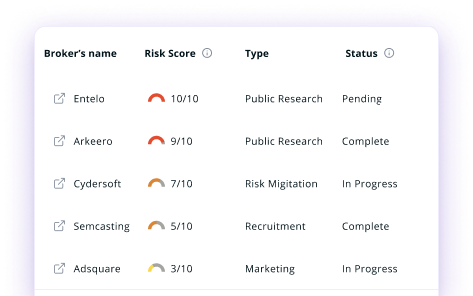
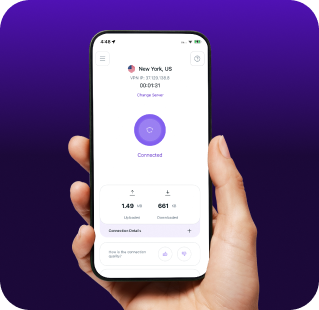

Manage Your Privacy
Minimize Data Exposure
Avoid Reputation Damage
Protect your privacy on multiple platforms from scammers, hackers, and surveillance.
How to Opt-Out of Whitepages With PureVPN
Step 1

Subscribe to PureVPN and download our app.
Step 2
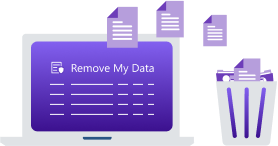
Start removing your data using the Remove My Data feature.
Step 3
Avoid data theft monitoring, and online tracking in future!

Types of Data WhitePages Collects
Personal Data
Whitepages stores your name, age, addresses, phone numbers, and emails, along with records of relatives and associates to map your personal network.

Background Information
Whitepages compiles criminal records, traffic violations, licenses, and education history for background checks used by employers and landlords.

Public Records
Whitepages gathers court records, marriage/divorce filings, property ownership, and tax info to build a publicly accessible legal and financial history.


How Does WhitePages Collect Your Data?
Whitepages scrapes information from public records, government databases, and court documents. They also purchase data from third-party providers and aggregate information from telephone directories, voter registrations, and property records. The company constantly updates their systems with new information as it becomes available through public channels.


How to Opt-Out of Whitepages Manually
- Go to Whitepages and search for your profile.
- Find your profile, view details, and copy the URL from the browser.
- Paste the URL into the Whitepages opt-out form and proceed.
- Click “Remove Me” and select a reason for opting out of Whitepages.
- Enter your phone number and complete the verification process to confirm the deletion.
Step-by-Step Guide to Manually Opting Out of WhitePages

Frequently Asked Questions
Read on to find answers to frequently asked questions about PureVPN
What are the benefits of WhitePages opt-out?


By opting out of WhitePages, you can protect your personal information from stalkers and identity thieves, reduce unwanted calls and mail, prevent address-based targeting, and limit the accessibility of your private details to strangers searching for you online.
Can WhitePages track me after the data removal request?
Yes. Even after completing the WhitePages opt-out process, your information may reappear in their database as they continuously collect new data from public sources, requiring regular monitoring and repeated removal requests.
What happens when you freeze WhitePages?
When you successfully opt out from WhitePages, your listing should disappear from their search results within 24-48 hours. However, this only removes your information from their specific platform, not from the original public records or other data broker sites.
How can I get PureVPN for data removal?
Get PureMax, download our app for your device, log into your account, and send automated data removal requests to more than 100 data brokers using Remove My Data.